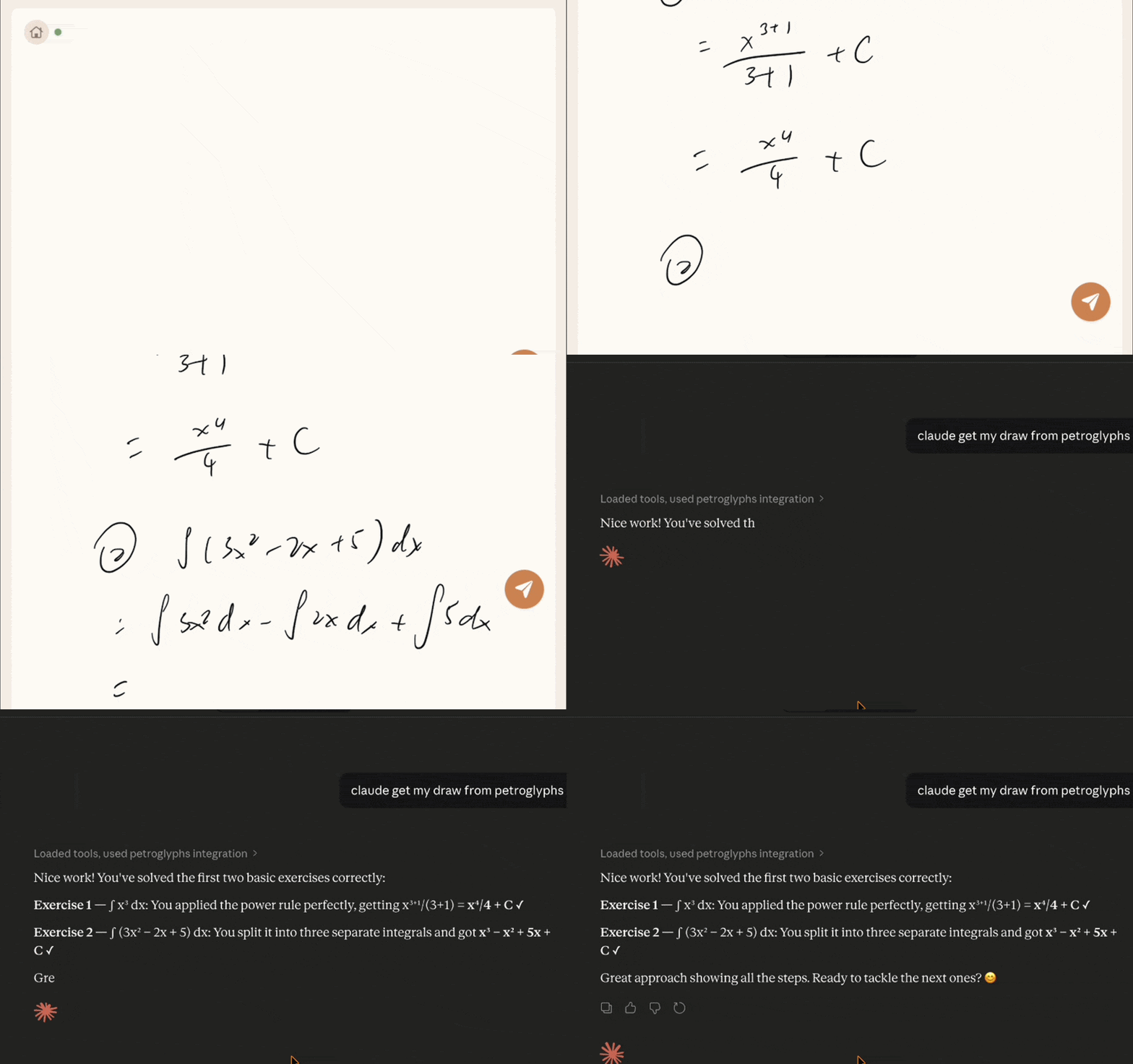
 iPad + Apple Pencil + Claude · Open Beta
Petroglyphs
Close the gap between your pencil and AI.
Write your equations, kanji, or notes by hand — and send them straight to Claude. One tap, no friction.
Start my Beta
iPad + Apple Pencil + Claude · Open Beta
Close the gap between your pencil and AI.
Write your equations, kanji, or notes by hand — and send them straight to Claude. One tap, no friction.
Start my BetaDraw naturally with Apple Pencil on your iPad. Math, diagrams, notes — anything you'd put on paper.
One tap sends your handwriting to any LLM. No screenshots, no switching apps.
Works with Claude Desktop, Cursor, and any MCP-compatible client on your computer.
Fill out the form below to get the TestFlight link for the iPad app.
Install from TestFlight and open Petroglyphs on your iPad.
In Claude Desktop: Settings → Connectors → Add custom connector → Add
Name: Petroglyphs
Remote MCP server URL: https://web-production-d8b49.up.railway.app/mcp
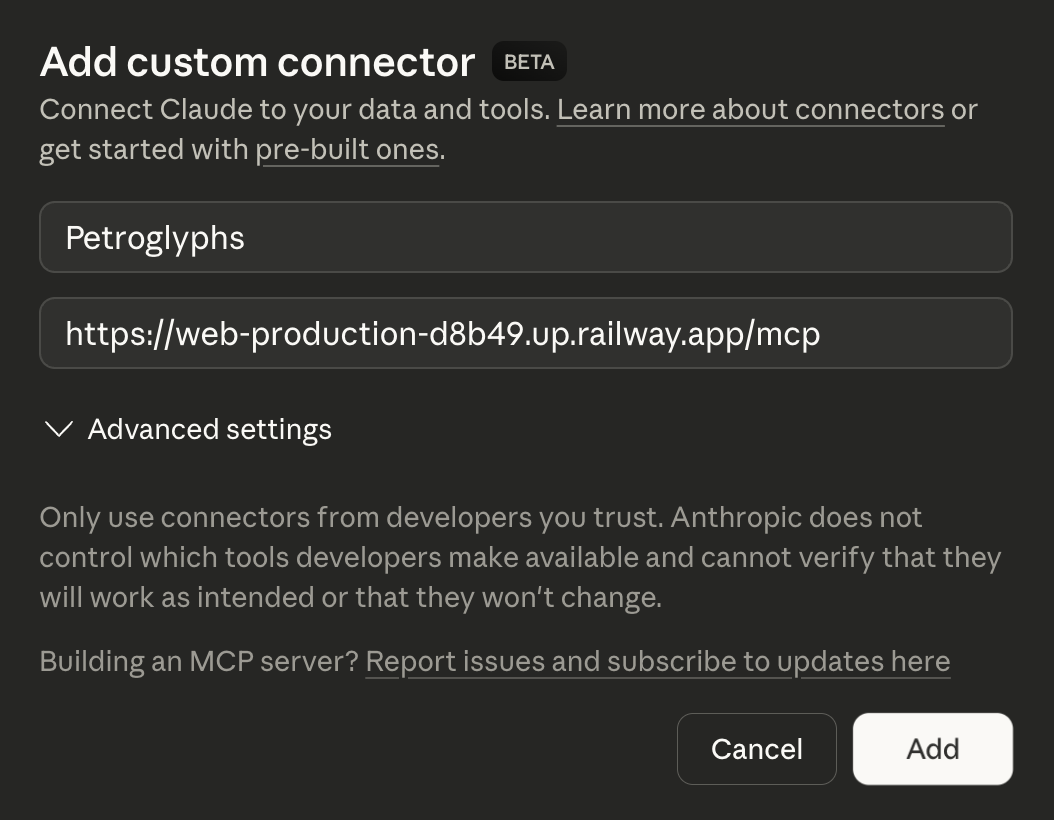
Press "+" in chat to open Petroglyphs connector. Type get pairing code from petro Claude will generate a pairing code to link your iPad to this session.
In Petroglyphs app: Server → Cloud → Paring code → Test Connection → Save
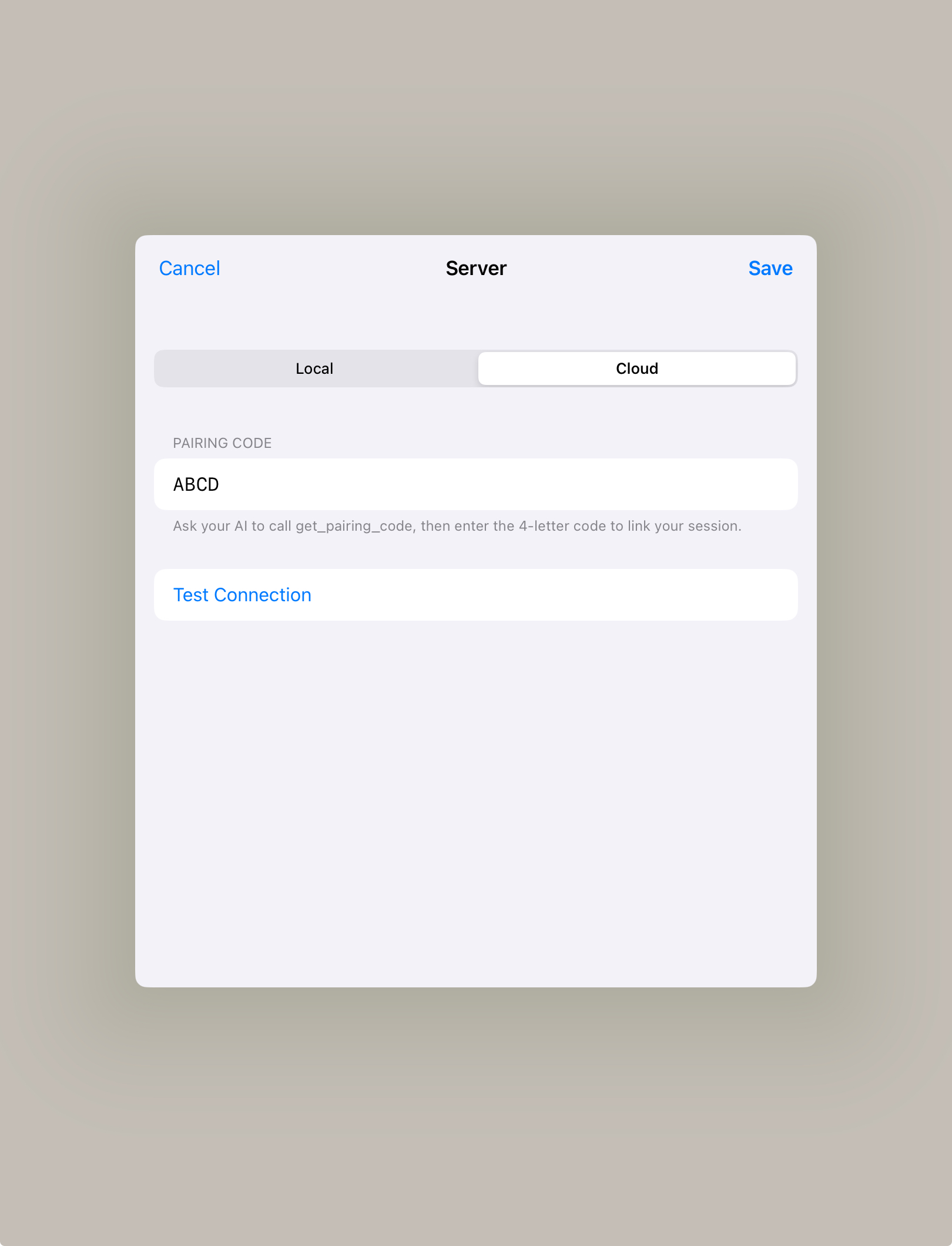
Write on the canvas and tap to send. Use these commands in your chat:
get draw from petro · get pairing code from petro
*Pro tips: swipe the finger from left to right to clear the slate
Follow the instructions on GitHub to set up the server locally, or run npx petroglyphs-mcp --port 3333.
Point Claude Desktop or Cursor to the running MCP server.
Install from TestFlight and enter your computer's local IP address in the app.
Write on the canvas, tap to send, and see the AI respond on your computer. Both devices need to be on the same Wi-Fi.
Open this link on your iPad to install the app:
https://testflight.apple.com/join/putm8fdP
Paste this link in Safari on your iPad
Last updated: March 29, 2025
Utilize Claude's new memory feature to persist context across sessions — so your AI remembers past work.